
Choose your Dock icon
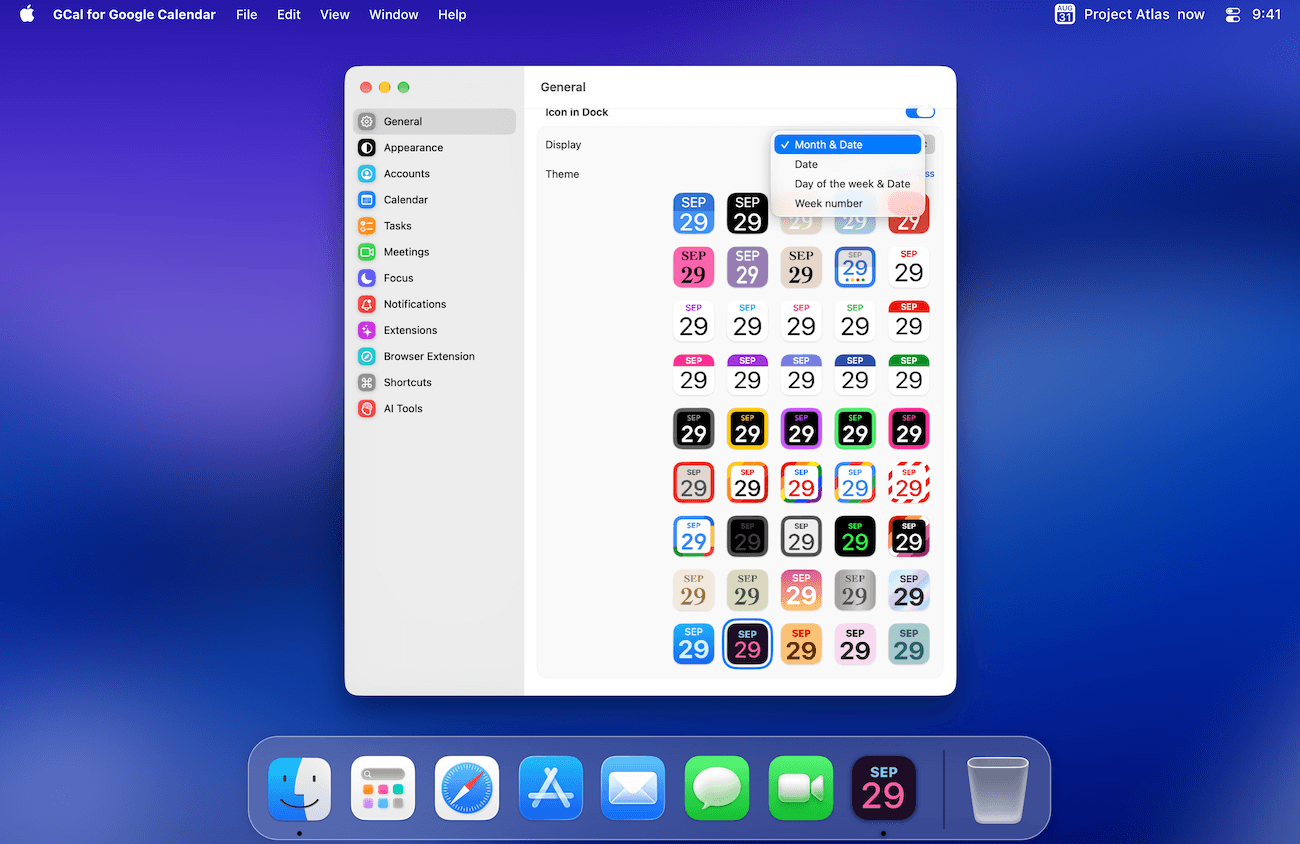
- Open Settings → General.
- Turn on Icon in Dock.
- Choose the date format under Display, then choose a Theme. Use Show All to see the full selection.
The Dock should now show the selected style. This setting changes GCal’s icon, not the colors of events in Google Calendar.
Set up menu-bar access
- In the same pane, turn on Icon in Menu Bar if you want quick access there.
- Choose its Display and Theme. The Text option controls the additional menu-bar text where available.
- Use Open Menu / Open Window to choose which click opens the agenda and which opens the calendar window.
Keep GCal ready
Enable Launch at Login if you want GCal to start when you sign in to macOS. Hide window at launch lets it start without placing the calendar window in front of you. If the icon is missing, first check that GCal is running and the corresponding icon toggle is on.