

Choose an accent color
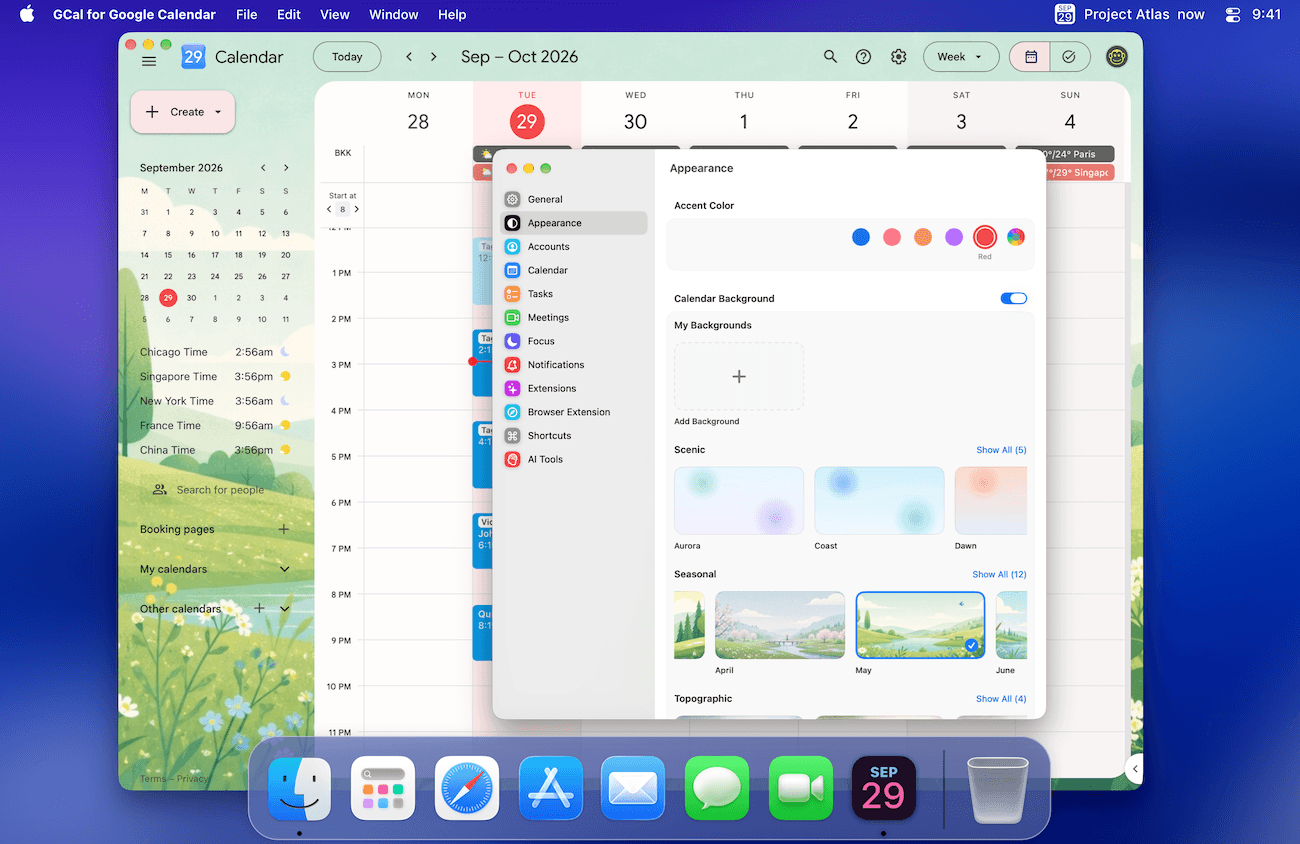
- Open Settings → Appearance.
- Under Accent Color, choose a preset or use Custom Color.
- Return to the Google Calendar window to see the result.
Add a background
- In Settings → Appearance, turn on Calendar Background.
- Choose a background from the library. Use Show All to browse the rest of a collection.
- To use your own image, choose Add Background under My Backgrounds. Follow the picker to supply the images for the appearances you want.
Use images with quiet areas so event names remain readable. You can turn Calendar Background off to return to the plain calendar.
If the appearance has not changed
Check the main Google Calendar window, rather than the menu-bar agenda. If a background download fails, try again when you are online. The browser extension has its own settings; changing its appearance is a separate step.